How to Create a Professional Invoice That Gets Paid Faster
Learn what to include in an invoice, how to format it professionally, and which mistakes to avoid if you want faster payments.
Written by
FreeUtilHub Editorial Team
Review standard
FreeUtilHub Review Process
Updated
June 13, 2026
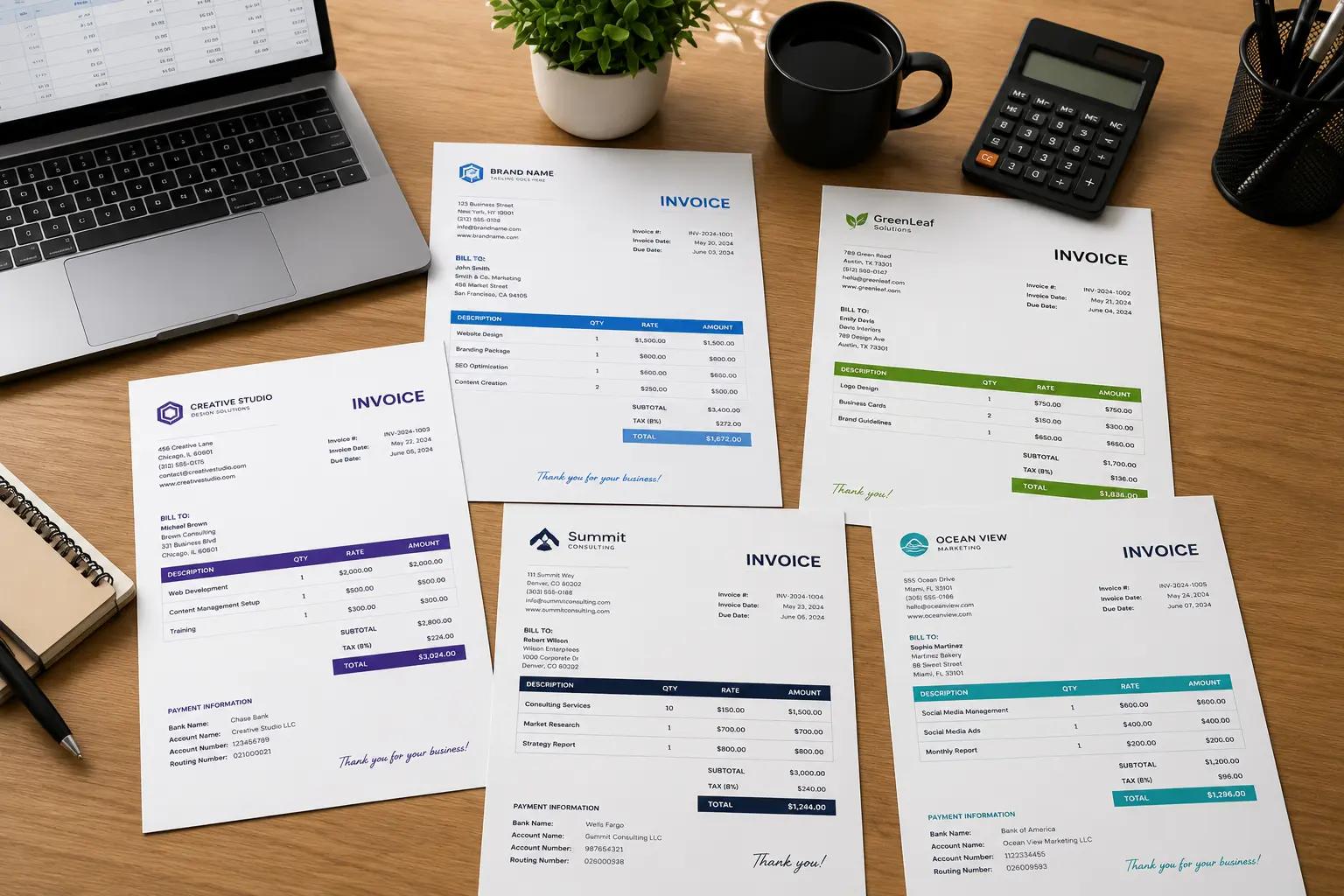
Creating a professional invoice is one of the simplest ways to improve your cash flow, strengthen your brand, and reduce confusion with clients. A good invoice is much more than a request for payment. It is a business document that tells your client exactly what was delivered, how much is owed, when payment is due, and how to pay you.
What Should a Professional Invoice Include?
At a minimum, every invoice should include the word Invoice, a unique invoice number, the invoice date, due date, your business details, your client details, and an itemized breakdown of the products or services provided.
- Invoice number: Use a unique, traceable format such as INV-1001.
- Business information: Include your name, company name, address, email, phone, and tax ID if applicable.
- Client details: Clearly identify who is being billed.
- Line items: Describe each service or product with quantity, unit price, tax, and totals.
- Payment terms: State the due date, accepted payment methods, and any penalties or discounts.
Why Invoice Formatting Matters
Clients pay faster when invoices are easy to read. A clean layout with strong headings, clear totals, and enough spacing makes it easier for accounting teams to review and approve your invoice quickly. Poorly formatted invoices lead to delays, clarification emails, and avoidable payment friction.
Best Practices for Faster Payments
- Send invoices immediately: Do not wait days after finishing the work.
- Use clear descriptions: Replace vague text like “design work” with “homepage design, mobile revisions, and export delivery”.
- Add a due date: “Net 7”, “Net 15”, or a fixed calendar date makes expectations clear.
- Include payment instructions: Bank transfer details, PayPal address, or other methods should be easy to find.
- Use consistent invoice numbering: This helps both you and your client track billing records.
Common Invoice Mistakes
Many businesses lose time because of invoice mistakes that are easy to avoid.
- Missing invoice numbers
- Incorrect tax calculations
- Unclear service descriptions
- Missing payment details
- No due date or payment terms
- Sending invoices in a messy or inconsistent format
How to Create an Invoice Online
The fastest way to build a clean, accurate invoice is to use a dedicated tool instead of a spreadsheet. Our Invoice Generator lets you add your seller details, client information, line items, taxes, discounts, notes, and terms. You can also switch templates, upload a logo, and export your invoice as a polished PDF.
How to Choose an Invoice Number Format
A simple invoice numbering system can save you a lot of administrative pain. Many businesses use formats like INV-001, 2026-001, or CLIENT-1001. The most important rule is consistency. If you need help generating clean numbering sequences, try our Invoice Number Generator.
Final Thoughts
A professional invoice should be accurate, easy to read, and simple to pay. The more clearly you communicate the work delivered and the amount owed, the faster clients can process the payment. If you want a faster workflow, use our free Invoice Generator to create polished invoices online in minutes.
Editorial note
This article is published to explain a practical workflow related to tools available on FreeUtilHub.
We aim to keep articles practical, accurate, and tied to real site workflows. For more information, read our Editorial Policy, How We Test Tools, or contact us if you believe a page needs a correction.
